VSCode 连接并操作 Sim4Life
产品介绍
面向多物理场设备设计的TCAD高性能计算平台
功能化三维解剖中的器件相互作用
对设备相互作用的生理反应
设计未来的医疗和穿戴式设备
为精准医学创建个性化模型
实现最高性能的最新多维优化器
经过监管机构核实、验证和鉴定
专业工具和易用界面
Sim4life相关模组介绍
学习中心
基础课程
应用课程
影音教学
最新消息
教育训练
展会与研讨会活动
VIP/VIZoo
Sim4Life
支援服务
下载专区
常见问题
论坛
联络我们
繁體
寻找学习中心资源
繁體
01
产品介绍
面向多物理场设备设计的TCAD高性能计算平台
功能化三维解剖中的器件相互作用
对设备相互作用的生理反应
设计未来的医疗和穿戴式设备
为精准医学创建个性化模型
实现最高性能的最新多维优化器
经过监管机构核实、验证和鉴定
专业工具和易用界面
Sim4life相关模组介绍
02
学习中心
基础课程
应用课程
影音教学
03
最新消息
教育训练
展会与研讨会活动
VIP/VIZoo
Sim4Life
04
支援服务
下载专区
常见问题
07
论坛
08
联络我们
Website Design
Copyright 2026 © 耀登科技股份有限公司
All Rights Reserved.
網頁設計
by
覺醒設計
学习中心
学习中心
基础课程
VSCode 连接并操作 Sim4Life
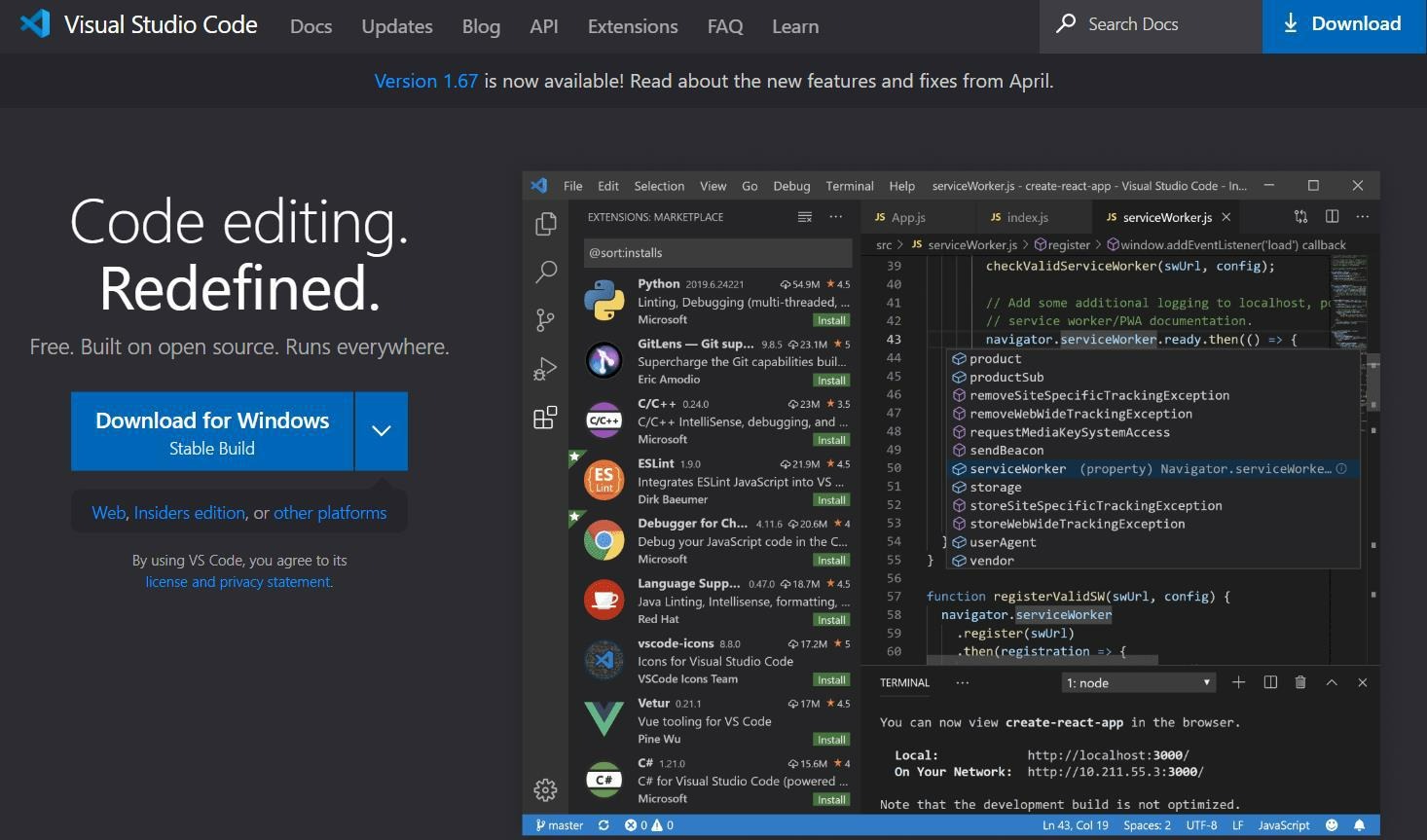
1. 到 https://code.visualstudio.com/下载 VSCode 编辑器
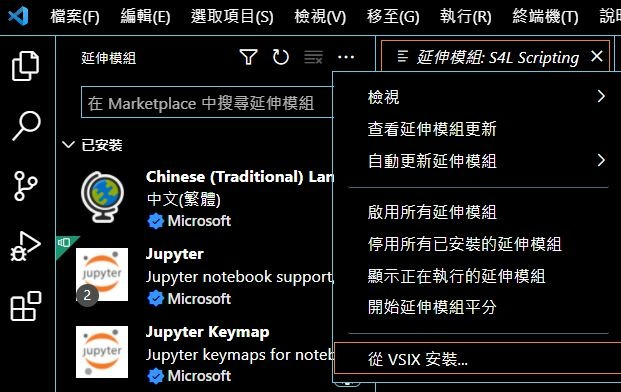
2. 开启 VScode,按下延伸模块字段右上方的…,选择“从 VSIX 安装…”
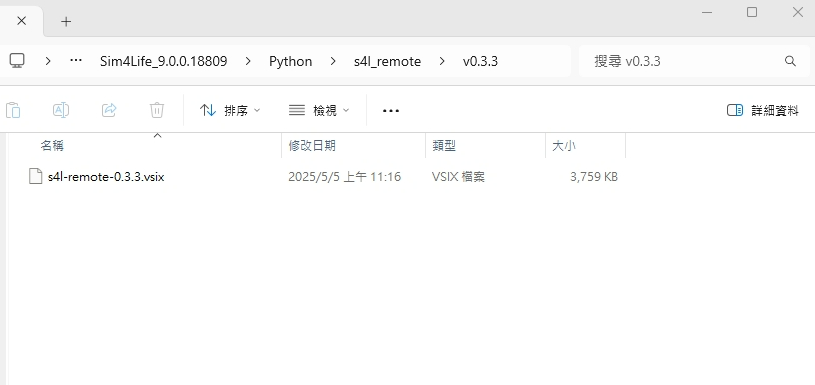
3. 在 Sim4Life 活页夹路径 C:\Program Files\Sim4Life_9.0.0.18809\Python\s4l_remote\v0.3.3 选择 s4l-remote-0.3.3.vsix 档案
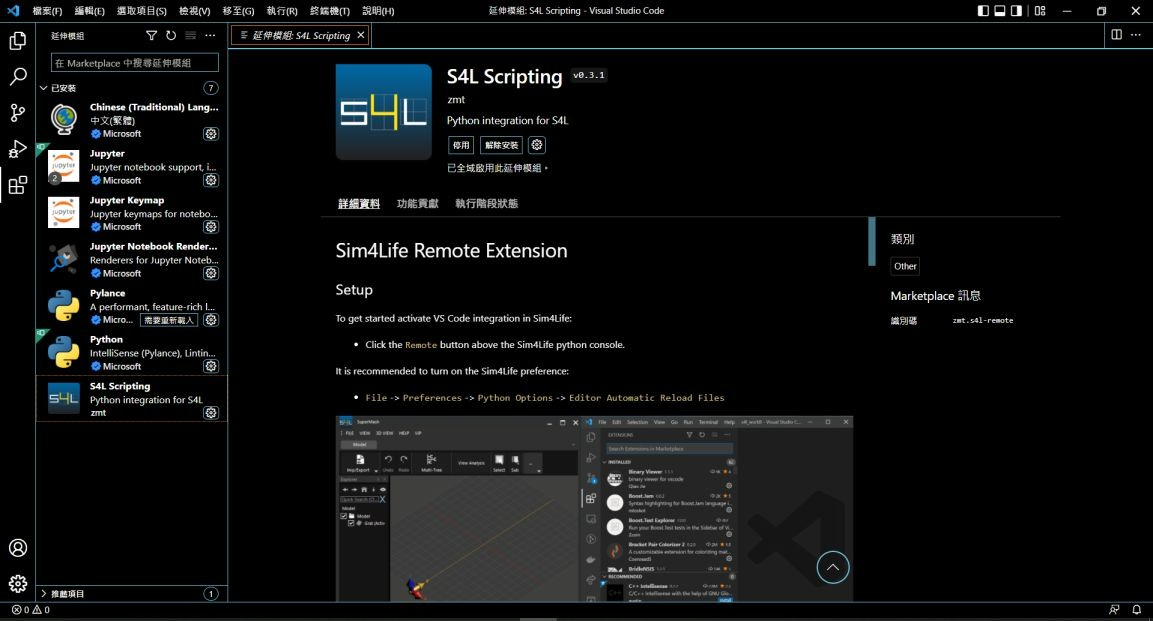
4. 安装完成后 S4L Scripting 模块即显示在画面中,按照详细数据字段的说明来进行设定联机 Sim4Life
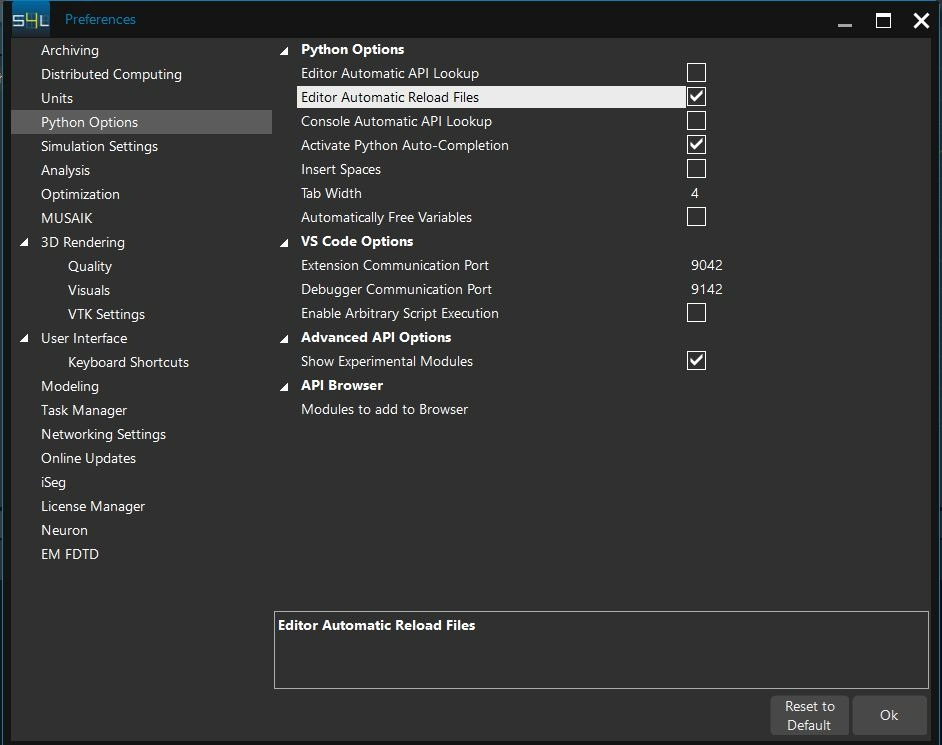
5. 开启 Sim4Life Preferences 的设定,确认选取 Editor Automatic Reload Files
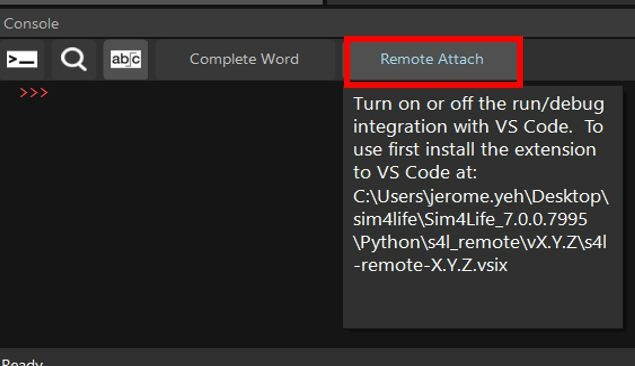
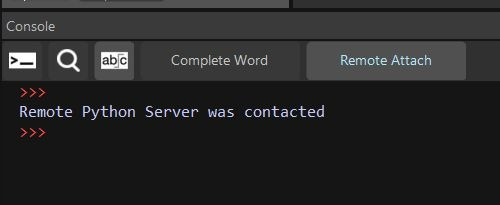
6. 在 Sim4Life Console 窗口选取 Remote Attach
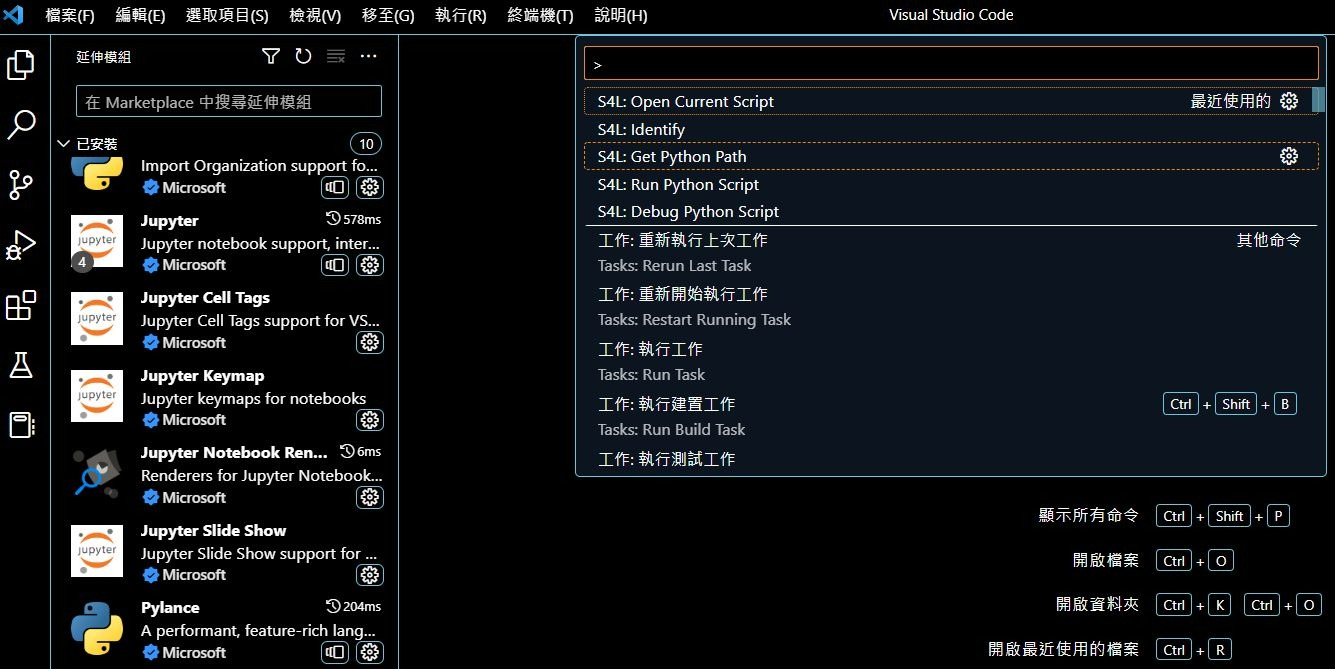
7. 在 VScode 按下 Ctrl + Shift + P 显示 S4L 命令,选择 S4L: Get Python Path 指定 VScode 的 Python 路径
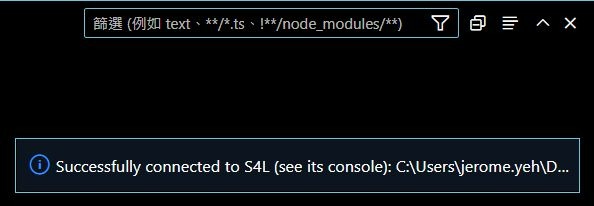
8. 在 VScode 按下 Ctrl + Shift + P 显示 S4L 命令,选择 S4L: Identify 将 VScode 连 线至 Sim4Life,成功联机后 VScode 窗口右下角会出现成功联机的讯息
9.Sim4Life 的 Console 窗口会显示讯息: Remote Python Server was contacted
返回列表
SUBMIT
CONTACT US
如果您对我们的产品服务有兴趣,欢迎直接与我们联系 !
产品介绍
学习中心
最新消息
联络我们