

Website Design Copyright 2026 © 耀登科技股份有限公司
All Rights Reserved. 網頁設計 by 覺醒設計
【Python API】Sim4Life sc
问题案例说明:
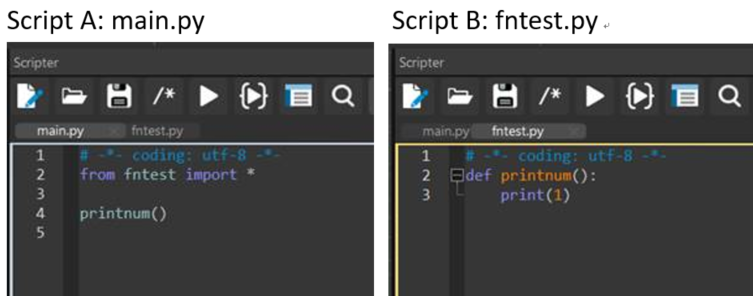
1. 执行 sc
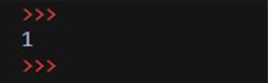
2. 更新 sc
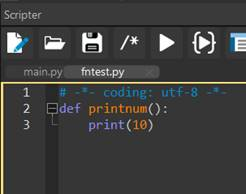
3. 再次执行 sc
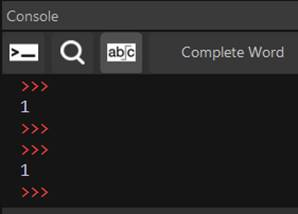
4. 关闭 Sim4Life 后再次启动,执行 sc
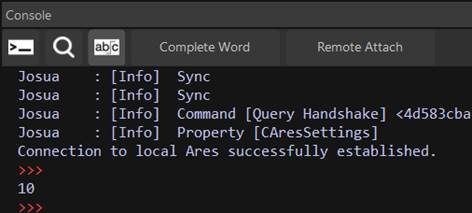
说明:
在 python 脚本中添加两行程序代码即可在 sc
from fntest import xxx
import sys
del sys.modules['fntest']
printnum()
参考数据: https://stackoverflow.com/questions/3012473/how-do-i-override-a-python-import
【Python API】如何使用 python 脚本更改 Multi-port FDTD 模拟中后处理的 Simulation Combiner 算法参数?
参数设定图示
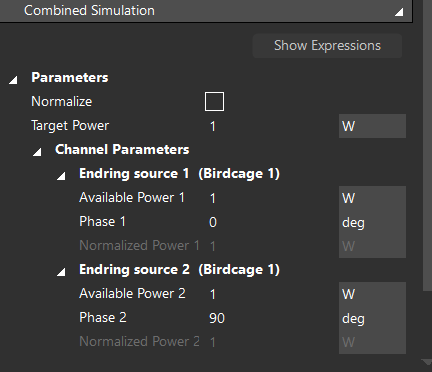
程序代码范例
i = 0
for channel in em_multi_port_simulation_combiner.GetChannelWeights():
power = [1.0, 1.0]
phase = [0, 90]
em_multi_port_simulation_combiner.SetChannelWeight(channel, power[i], phase[i])
i += 1
em_multi_port_simulation_combiner.UpdateAttributes()
em_multi_port_simulation_combiner.Update()
document.AllAlgorithms.Add(em_multi_port_simulation_combiner)
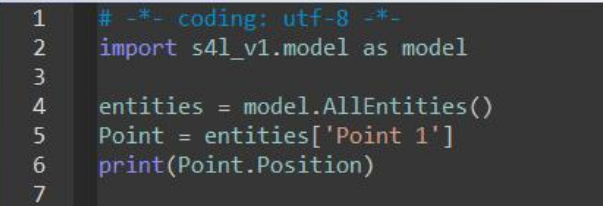
【Python API】如何透过 Python 脚本获取一个空间点的坐标位置?
请参考下图程序代码范例:
【Python API】无法在 python 脚本设定 Matrix plot 的选项(VSWR, S_ij, All Mutual Couplings)
选项图标:
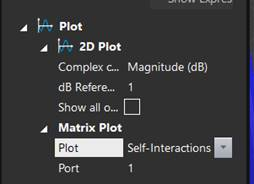
说明:
目前 Sim4Life 的 Python API 没有设定 Matrix plot 选项的功能,程序代码只能生成默认的 Self-Interactions 图形
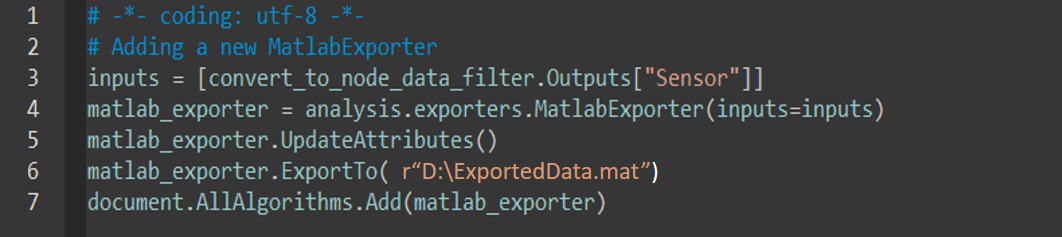
【Python API】在如何在 python 脚本上使用 MatlabExporter 后处理工具,将仿真数据导出到 MATLAB?
请参考下图程序代码范例:
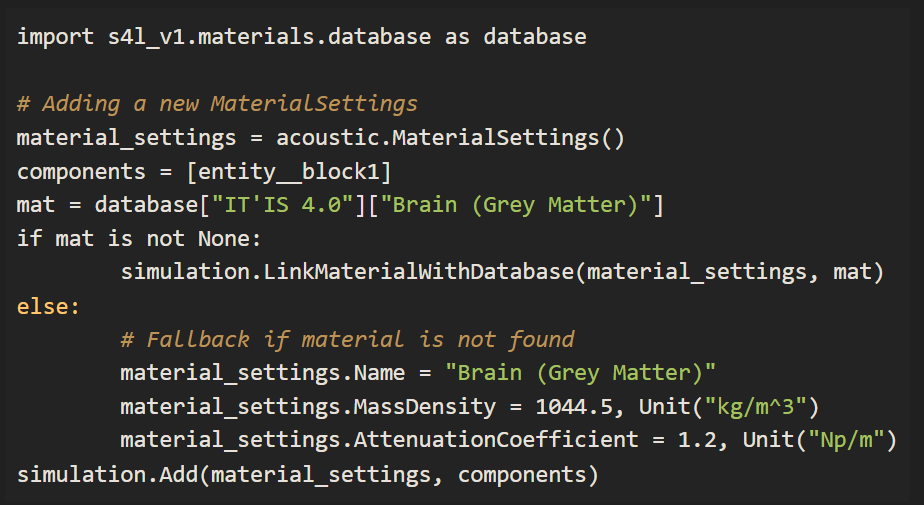
【Python API】如何将仿真设定中自动链接数据库材料参数的功能写进 python 脚本中?
可以使用 li
范例 1: 将数据库参数加入材料设定中
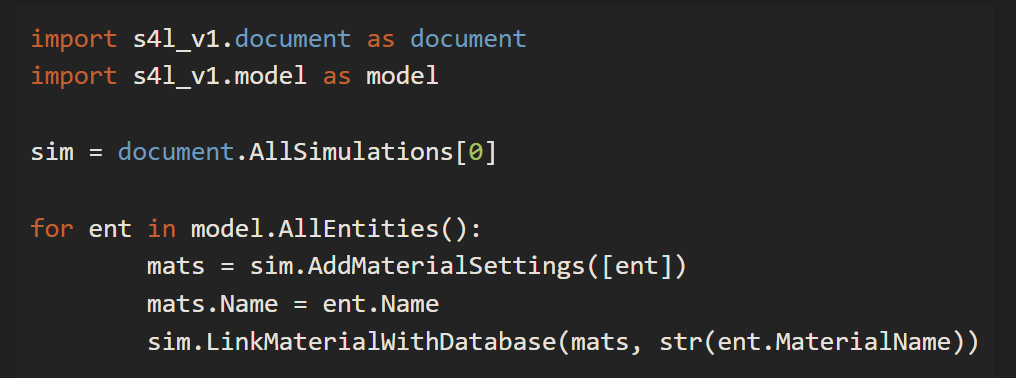
范例 2: 更新现有的材料参数设定

范例 3: 将 ViP 模型的材料参数加入到材料设定中
【Python API】如何从 python 脚本中生成 bounding box 对象?
Sim4Life Python API 中的 CreateWireBlock() 函式可以建立 bounding/wire box 对象。此外,使用 parametrized 参数可以更改 bounding/wire box 模型生成后的尺寸
范例:

【Python API】如何在 Sim4Life 环境中安装其他 Python 套件?
1. 在开始功能表输入 cmd,开启 Windows 命令列提示字元视窗
2. 输入指令进行该套件的安装: "Sim4Life python.exe 路径" -m pip install 套件名称
例如: "C:\Program Files\Sim4Life_9.0.0.18809\Python\python.exe" -m pip install pandas