
Website Design Copyright 2026 © 耀登科技股份有限公司
All Rights Reserved. 網頁設計 by 覺醒設計
【模型下载与安装】如何导入体素(voxel)模型档案?
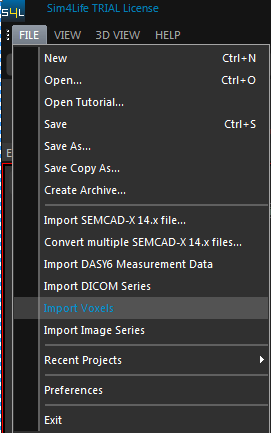
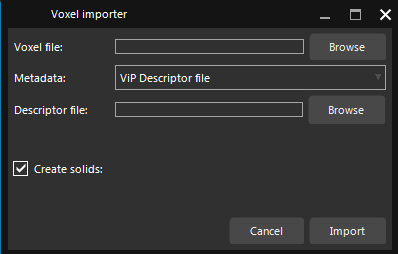
在 Sim4Life 视窗选择 File | Import Voxels 开启 Voxel importer,可以 Voxel file 或 Desc riptor file (ViP format) 导入模型
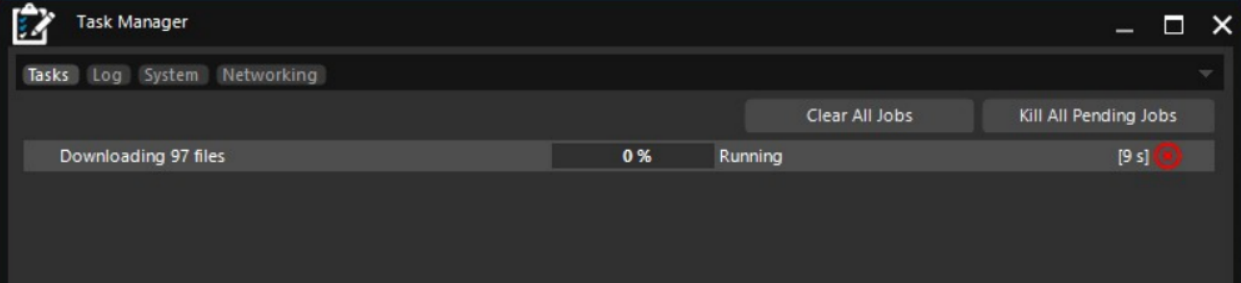
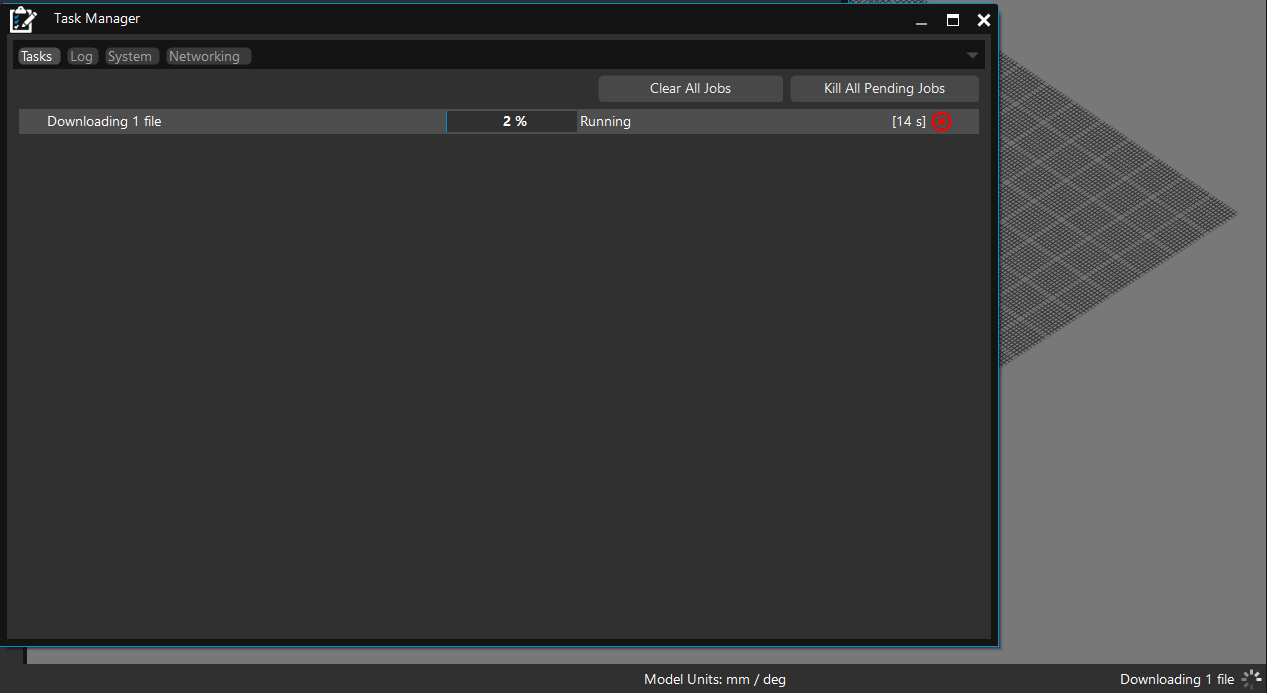
【模型下载与安装】如何避免开启 Sim4Life 软体时会自动下载 ViP thumbnails ?
问题图示
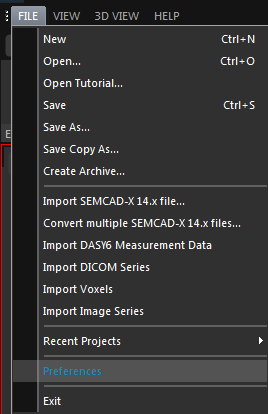
1. 打开 File -> Preferences
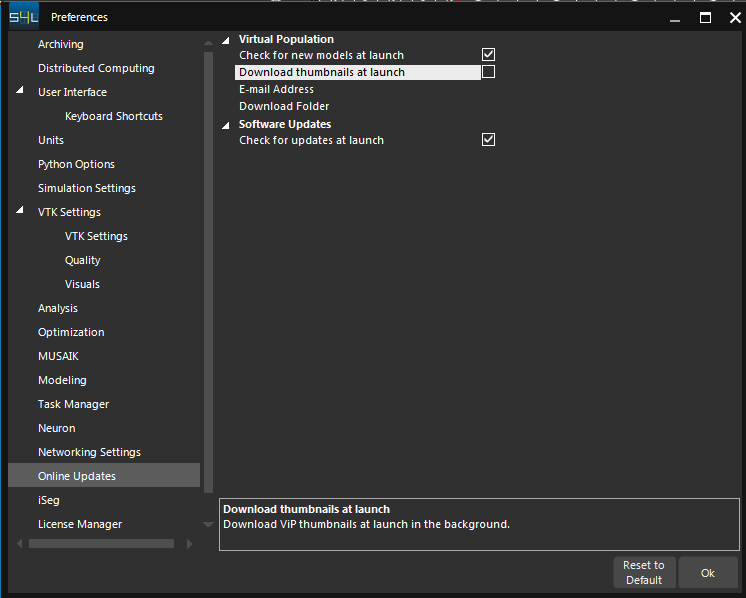
2. 点选 Online Updates,在视窗中的 Virtual Population 区域取消勾选 Download thumbnails at launch,然后按下 OK
【模型下载与安装】如何下载人体模型(ViP)或动物模型(ViZoo)?
方法 1
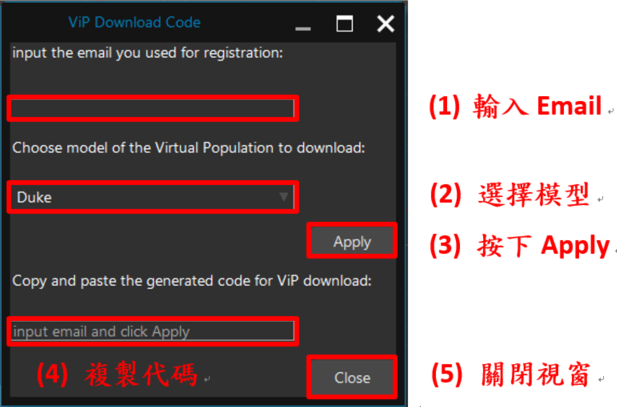
1. 开启 Sim4Life,点选 HELP -> ViP Download Code
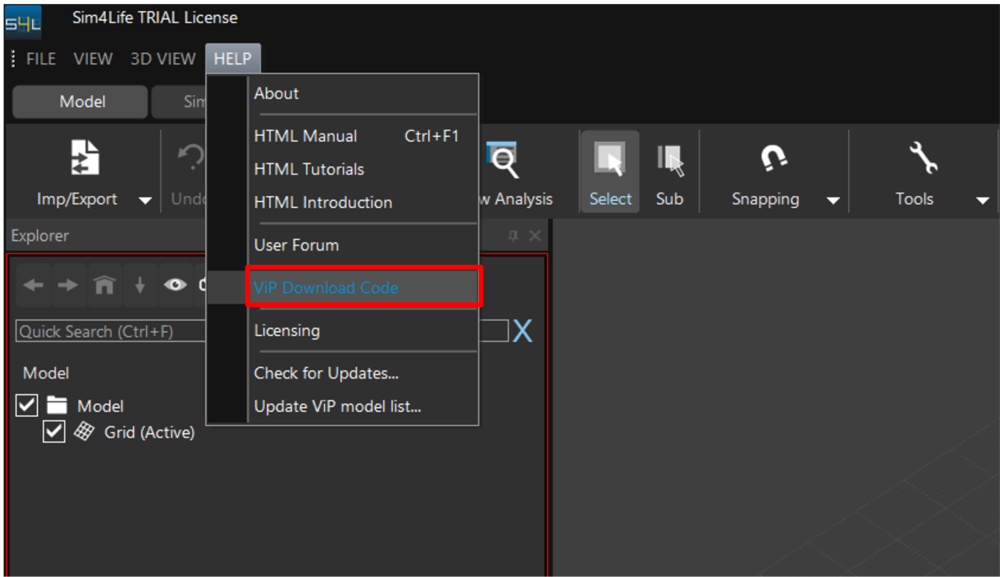
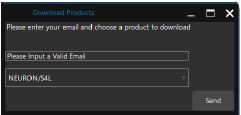
2. 在 ViP Download Code 视窗输入 Email,选择要下载的模型。完成后按下 Apply 并复制生成的代码
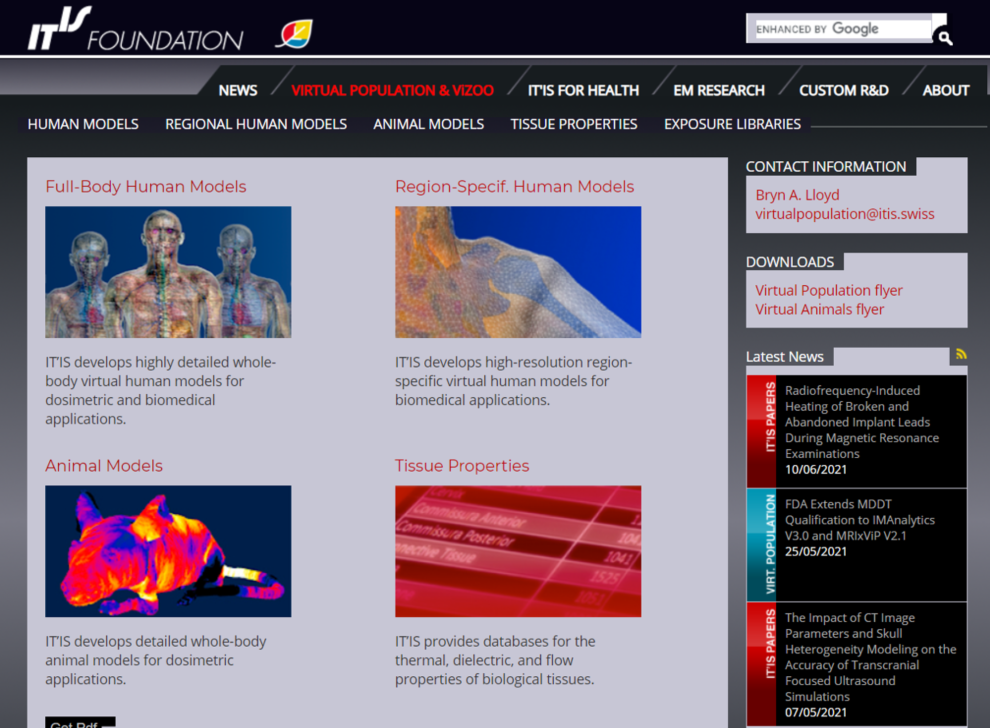
3. 到 https://itis.swiss/virtual-population/ 网页,进入欲下载模型的页面
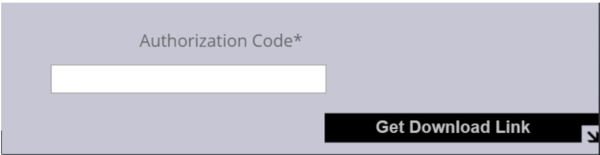
4. 在模型页面底下的 Authorization Code 贴上复制的代码,然后按下 Get Download li
5. 到信箱收取模型下載連結信
6. 點擊信件中的連結至下載頁面,模型會自動下載
方法 2
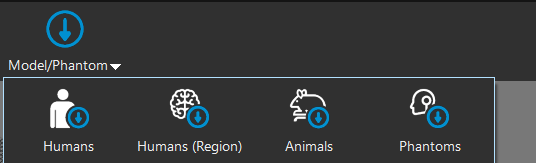
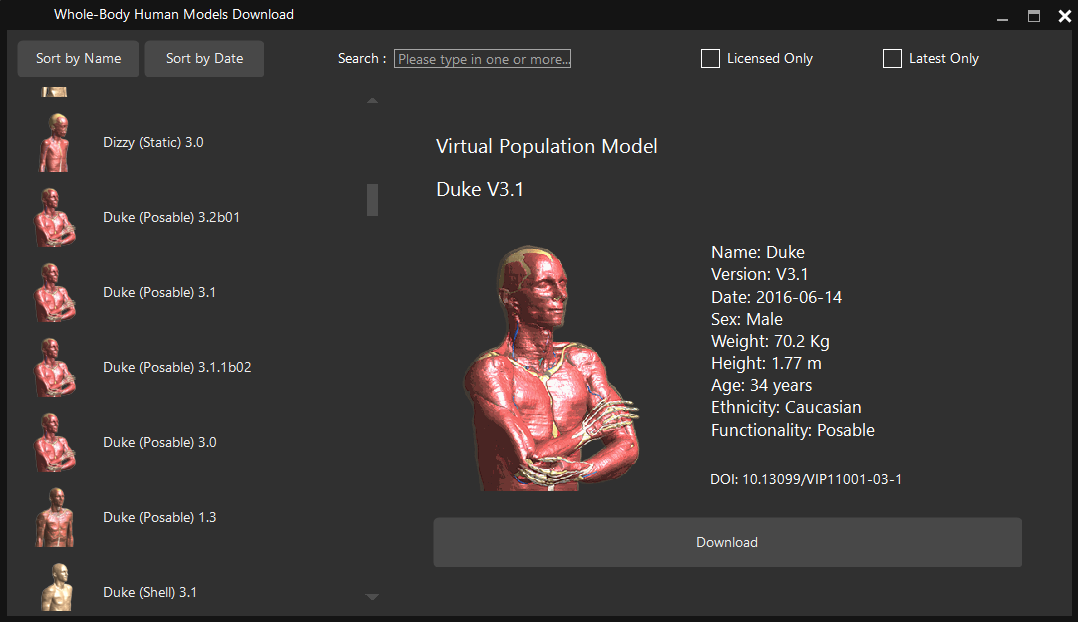
1. 开启 Sim4Life,在 Model 视窗点选上方工具列的 Model/Phantom 图标(V8.2 以后才有此图标),选择要下载的模型类别: Human, Human (Region), Animals, Phantoms
2. 在 Model Download 视窗选择要下载的模型(注意 License 是否有权限下载该模型)
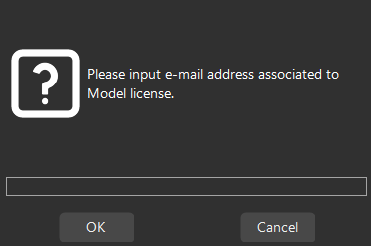
3. 输入 Email 地址
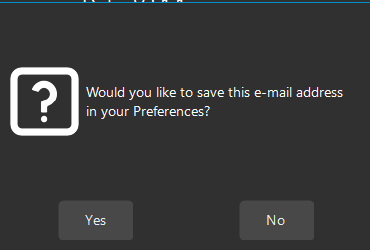
4. 选择是否将 Email 位址储存在 Preferences 偏好设定中
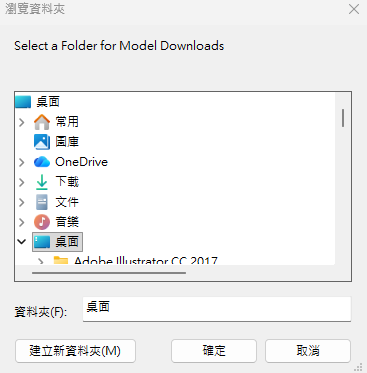
5. 选择模型下载后要存放的路径
6. 模型下载至指定的路径
【License】电脑若同时有安装不同的模拟软体(如: CST、Sim4Life),LMTOOL 可以同时使用 CST 和 SEMCAD X/Sim4Life 的 license 吗?
可以,但 LMTOOL 必须先导入 SEMCAD/Sim4Life 的 license,然后再导入 CST 的 license 以避免读取冲突的问题
【求解器设定】为什么 MQS (Magneto-Quasi-Static) 模拟有时会无法收敛,并出现 diverged (indefinite matrix) 错误?
在某些经颅磁刺激(TMS)或其他 MQS 应用的模拟中,Sim4Life 可能会出现以下错误讯息:
Solver returns: 'diverged (indefinite matrix)'.
ERROR: Linear system solver could not determine the solution.
可能原因与解决方法
A. 数值方法上的限制
(1) 原因:
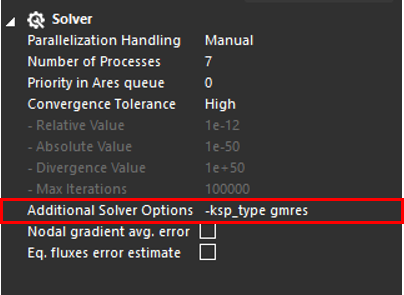
(2) 解决方式: 切换成 GMRES 预条件器(preconditioner)
B. 计算域边界(boundaries)过于接近或切入模型物件
(1) 原因:
(2) 解决方式: 在边界与模型之间加入空气块(Air Block)
这样可以有效避免边界直接干涉模型而造成不稳定。
C.电流源(current sources)未正确离散化
(1) 原因:
(2) 解决方式: 确保电流源形成正确的封闭回路
只要电流源离散化正确,求解器通常能正常收敛。
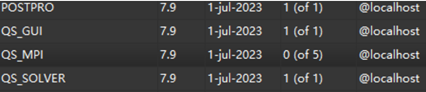
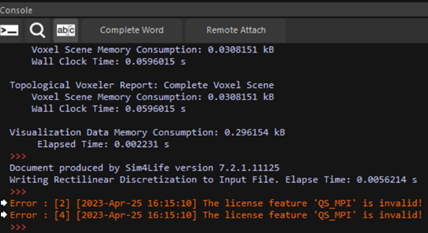
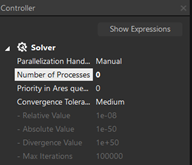
【License】License里面有QS_MPI的权限,但开启License Installer窗口却显示QS_MPI的可用数量为0 (of 5)。在Sim4Life运行低频仿真时,Console窗口显示错误: The license feature “QS_MPI” is invalid
A:
License server没有读取到QS_MPI的权限,重新启动License server释放所有可用的license功能权限。另外,注意QS solver可用的核心数上限。(MPI = 5,可用核心数上限为6)
【License】在Sim4Life执行仿真时,Console窗口显示Server错误
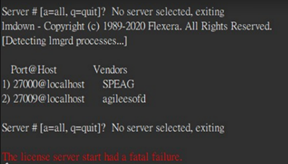
A:
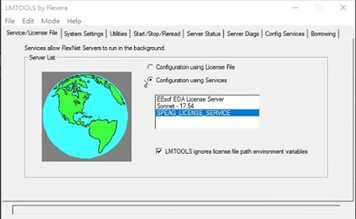
没有指定到要使用的license server,请开启lmtool,在Service List选择SPEAG_LICENSE_SERVICE,然后到Start/Stop/Reread重启Server
【License】License里面有FDTD_SOLVER的权限,但执行多端口FDTD仿真却显示错误: The license feature “FDTD_SOLVER” is invalid
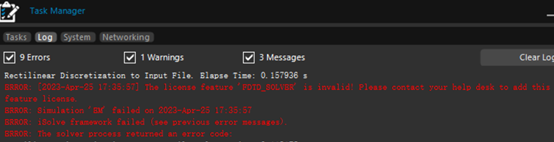
A:
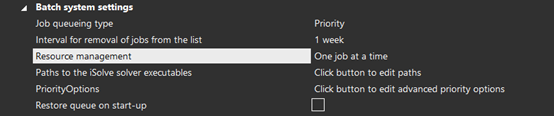
请确认license有几个可用的FDTD_SOLVER,若只有一个且使用多端口FDTD模拟,Sim4Life将一次运行所有的端口。因为没有足够的license seats,模拟结果会出现错误。解决方法是一次只跑一个端口仿真,可以在ARES窗口设定Resource management = One job at a time
【License】无法导入license以及lmtool log窗口出现下列讯息

lmgrd) license manager: can't initialize:Cannot find license file. (lmgrd) The license files (or license server system network addresses) attempted are (lmgrd) listed below. Use LM_LICENSE_FILE to use a different license file, (lmgrd) or contact your software provider for a license file. (lmgrd) Filename: "C:\flexlm\license.dat" (lmgrd) License Path: "C:\flexlm\license.dat" (lmgrd) FlexNet Licensing error:-1,359 (lmgrd) System Error:2 No such file or directory (lmgrd) For further information, refer to the FlexNet Licensing documentation,available at "www.flexerasoftware.com". (lmgrd) Using license file "C:\flexlm\license.dat
A:
勾选lmtool窗口System Settings中的选框LMTOOLS ignores license file path environment variables,再重新导入license。

【License】 License Manager窗口出现license遗失的讯息

A:
这通常表示license server在求解器运行时停止工作(可能只是很短的时间)。可能是由于网络问题或运行license的PC停止工作而发生的。如果数据丢失则无法修复模拟,必须重新模拟。若经常发生这种情况,可能是网络速度慢,我们可以将延长timeout等待时间来解决不稳定的问题。这可以透过在客户端PC (Sim4Life和iSolve运行的地方)上创建一个环境变量来做到这一点。
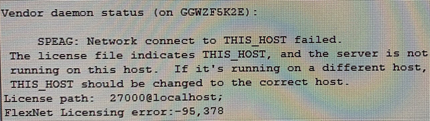
【License】使用LMTOOL安装license时可以成功读取license,但Vendor daemon status出现错误讯息

A:
首先检查server's log是否有出现类似下面的讯息:

若有类似讯息表示dongle有被系统侦测到,但没有被Flex tool侦测到。某些版本的Flex tool会有阻挡dongle的问题,可以使用目前最新版的LicenseTools 来安装license,以避免掉这个问题
如何下载模组工具的安装档 ?