
Website Design Copyright 2026 © 耀登科技股份有限公司
All Rights Reserved. 網頁設計 by 覺醒設計
【求解器设定】在执行空载鸟笼线圈模拟时,如何使模拟结果能有稳定的收敛值(Convergence level < -40 dB)?
可参考以下建议调整 EM FDTD 求解器的参数设置:
1. 激励源 Type 设置为 Voltage、讯号带宽 > 100 MHz
2. 边界条件的 Strength 调整成 high
3. 调整网格的 Refinement,使得 lump element 执行体素化(voxels)后没有断开
4. 网格(Grid)的 padding 设定至少大于 3000 mm
【后处理】使用 MatlabExporter 工具导出数据出现错误讯息 MatWriteError: Matrix too large to save with Matlab 5 format
讯息图标:

说明:
MATLAB 汇出器有档案大小限制,若导出的数据超出 MAT-file 可储存的大小,则 Console 窗口会出现错误讯息。
以下列出一些解决方法:
(1) 使用比 overall field 范围更小的 field sensor 并将场的范围限制在感兴趣的区域
(2) 将数据导出到 Cache 而不是 MATLAB。数据档案是一个 HDF5 文件,我们可以在 MATLAB 中使用多个函式库和函数来汇入 HDF5 档案,这种格式可以处理非常大的数据
(3) 若要在 Sim4Life sc
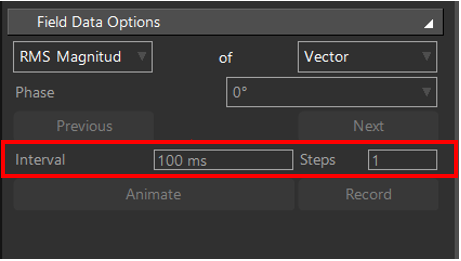
【后处理】Controller 窗口中 Field Data Options 设置区块的 Steps 无法设定
问题图示:
说明:
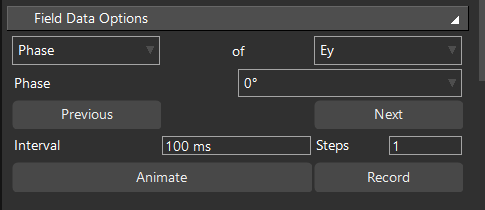
本字段是针对场相位做动画显示,需要将 RMS Magnitude 选项换成 Phase 并更新 Explorer 窗口的 Overall Field,随后在本窗口即可设定 Phase、Interval 和 Steps 的选项。
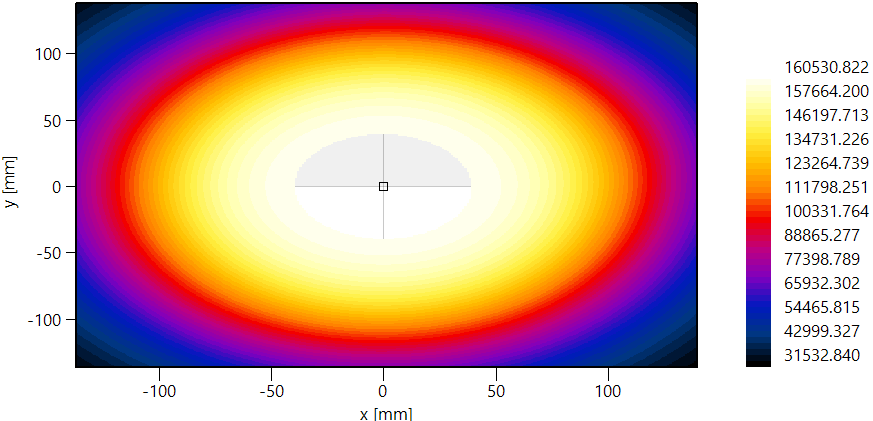
【后处理】使用 2D Plot 显示二维场图时,出现部份背景网网格线与场图重迭?
问题图示:
说明:
出现背景网格线的地方是模型的位置,因为模型内部没有场的信息所以是空的,空的位置会显示背景坐标轴的网网格线。若要取消网网格线的显示,可以到 Figure Settings | Grid settings 将 Visibility of grid lines 设定为 hide 并更新图形。
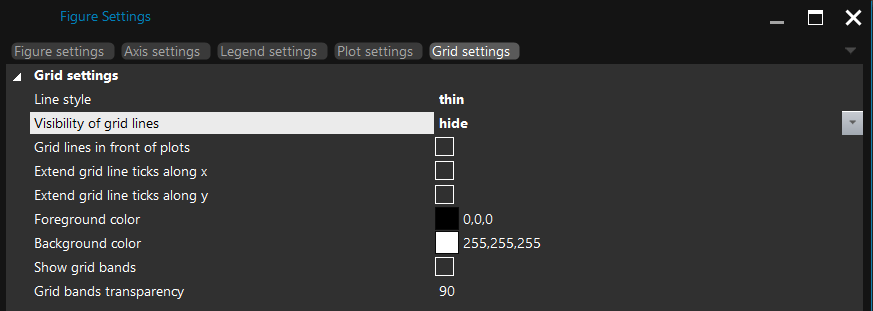
【后处理】3D 窗口无法使用屏幕截图(Screen capturing)工具导出图片文件
问题图示:
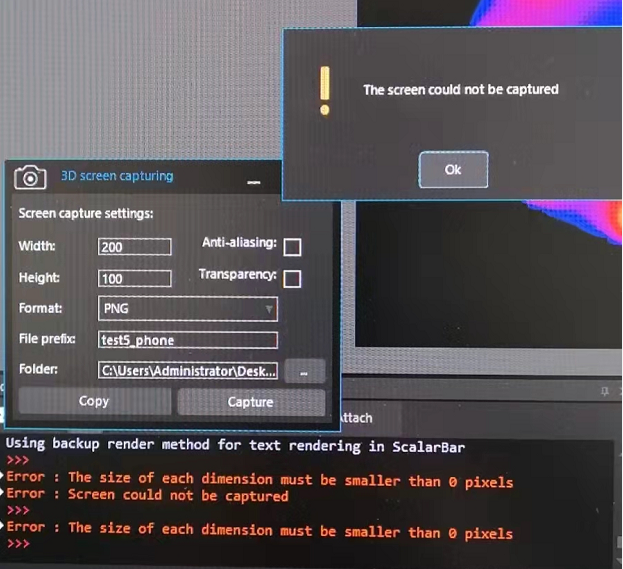
说明:
问题的来源可能是远程桌面工具或是 GPU 驱动程序,请确认以下两点:
(1) 若使用远程桌面操作软件且计算机安装 NVIDIA 显示适配器,则强烈建议使用 nvidia rdp utility 工具
(2) 检查 GPU 驱动程序是否为最新版本
【后处理】如何输出 Sim4Life 3D 窗口的画面以及可用那些图片文件格式输出?
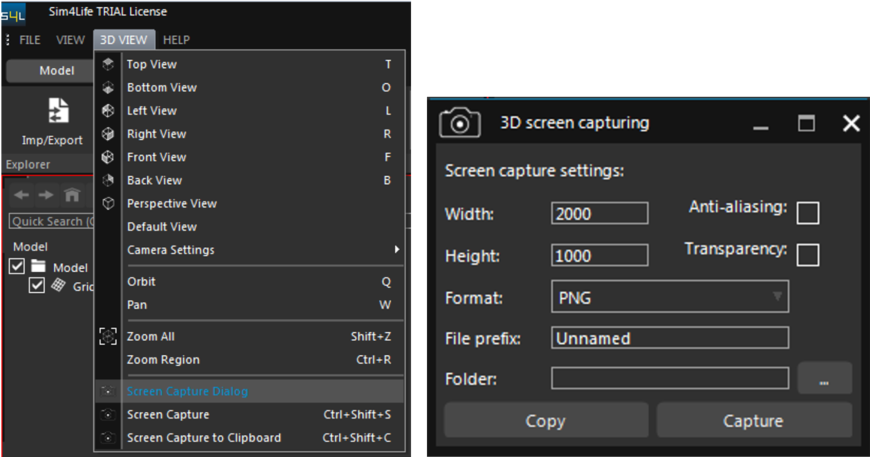
在 Sim4Life UI 接口选择 3D VIEW | Screen Capture Dialog 开启 3D screen capturing,设定相关参数(长度、宽度、图片格式、文件名、储存路径...)后按下 Capture 即可输出图形。支持的图片文件格式为 PNG、BMP、JEPG、TIFF。
【后处理】旧版 SEMCAD X Aletsch V14 与 Sim4Life/SEMCAD X Matterhorn 版本的 SAR statistics 表格数据显示不一致
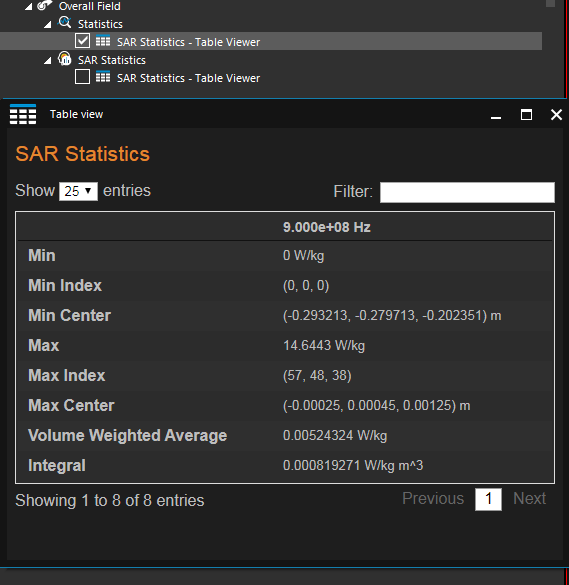
在 Sim4Life 或 SEMCAD X Matterhorn (如: V18 版本) 的 Analysis 窗口选择 Overall field,Properties 窗口勾选 Normalization,然后选择工具栏的 Dosimetry | SAR Statistics -> Table Viewer。显示的数据便可对应到 SEMCAD X Aletsch V14 的 SAR statistics 数据。这边的 SAR 值直接由电场计算而出,与由 Overall field 导出的 SAR Statistics 不同。
[SAR 后处理表格比较]
(1) Sim4Life / SEMCAD X Matterhorn: Dosimetry | SAR Statistics
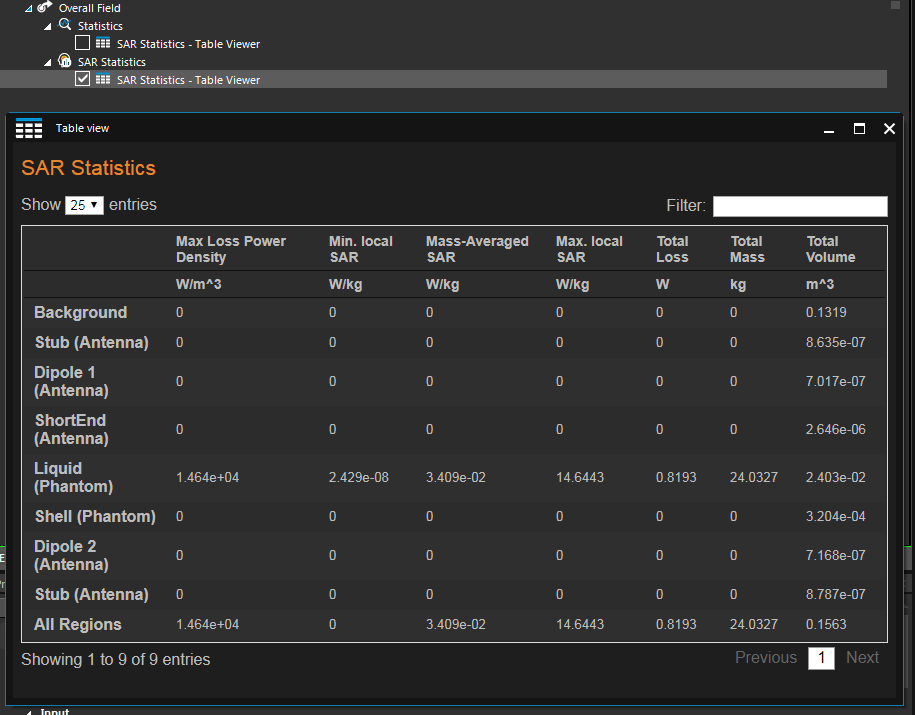
(2) Sim4Life / SEMCAD X Matterhorn: SAR Statistics
【求解器设定】热仿真中热生成速率与热传递速率的参数设置说明
【后处理】关于 Max modulation 后处理工具的补充说明
【求解器设定】对于对象重迭的区域,如何设定模型体素化(Voxels)的优先级?
图示:

说明:
优先权(Priority)的数字由低到高为执行 Voxels 的优先级(会从最低到最高优先权的模型对象进行体素化)。在重迭区域,对象的体素将被分配来自具有最高优先权的对象材料参数。
若使用 Topological Voxeler,可以分配比 PEC 更高的优先权给介电质,进而让介电质覆盖 PEC
【求解器设定】如何只撷取模型的部分区域做仿真计算?
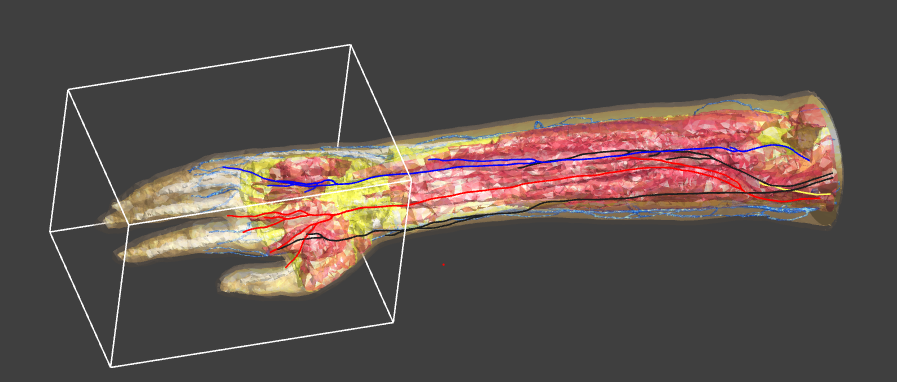
1. 以手臂模型为例子,在欲计算的区域建立一个 Wire box,如下图所示:
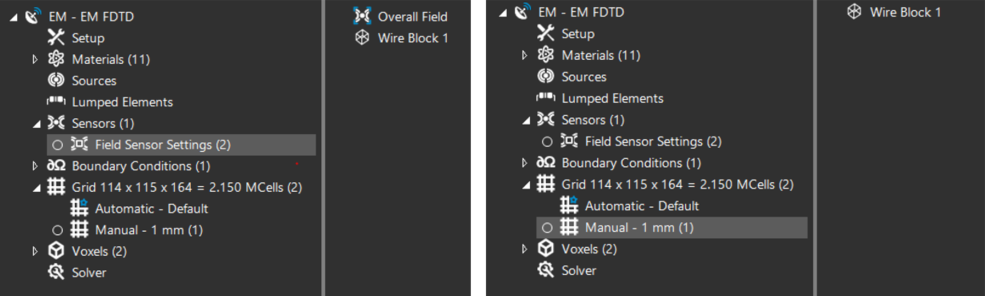
2. 再来到 Simulation 接口,将 Wire box 放置到 Sensors 设置以作为计算区域的传感器。另外在 Grid 的设置中删除手模型对象并加入 Wire box。
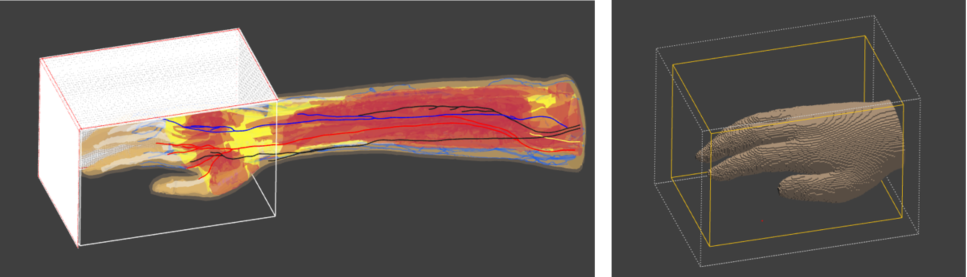
3. 如下图显示计算域的网网格线以及在计算域中手部模型的体素
【建模工具使用】如何在网格化(Meshed)模型的表面绘制线段
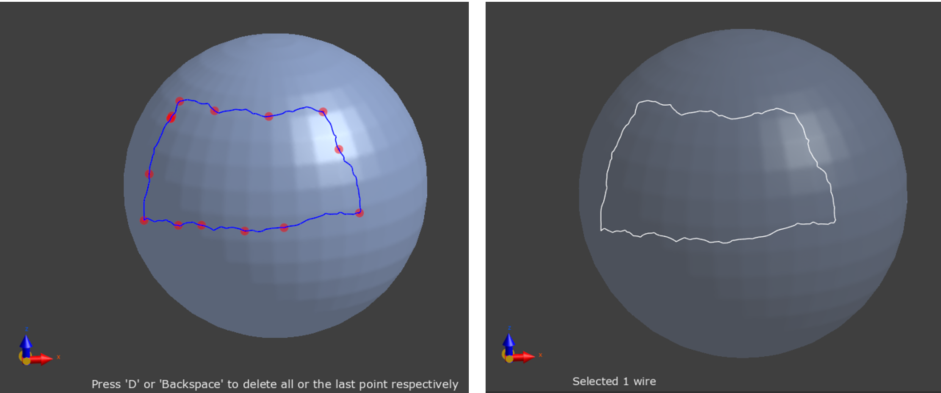
Sim4Life V7 发布后用户可以使用线段生成工具 Draw Line 在网格化(Meshed)的模型表面绘制线段。
流程:
1. 选择表面网格化的模型
2. 点选工具栏的 Mesh Tools | Draw Line
3. 在模型表面绘制线段
4. Options 窗口点选 Run 完成设定
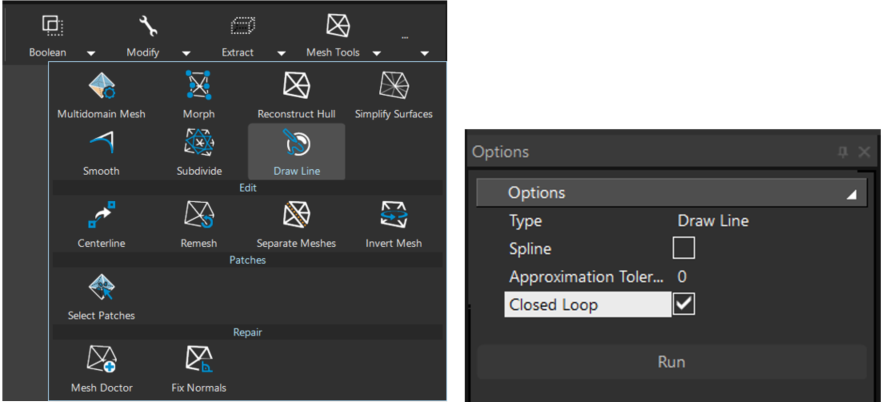
图形演示: