

Website Design Copyright 2026 © 耀登科技股份有限公司
All Rights Reserved. 網頁設計 by 覺醒設計
【Python API】Sim4Life sc
問題案例說明:
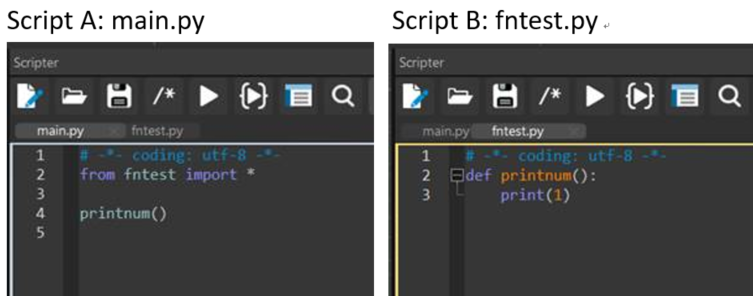
1. 執行 sc
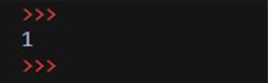
2. 更新 sc
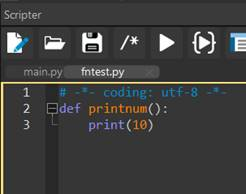
3. 再次執行 sc
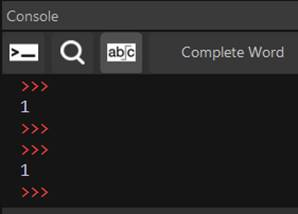
4. 關閉 Sim4Life 後再次啟動,執行 sc
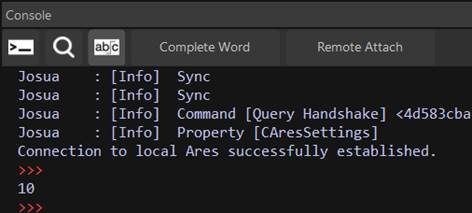
說明:
在 python 腳本中添加兩行程式碼即可在 sc
from fntest import xxx
import sys
del sys.modules['fntest']
printnum()
參考資料: https://stackoverflow.com/questions/3012473/how-do-i-override-a-python-import
【Python API】如何使用 python 腳本更改 Multi-port FDTD 模擬中後處理的 Simulation Combiner 演算法參數?
參數設定圖示
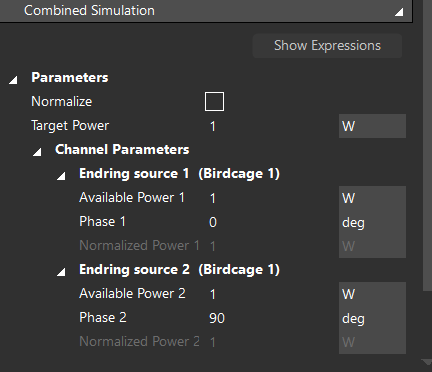
程式碼範例
i = 0
for channel in em_multi_port_simulation_combiner.GetChannelWeights():
power = [1.0, 1.0]
phase = [0, 90]
em_multi_port_simulation_combiner.SetChannelWeight(channel, power[i], phase[i])
i += 1
em_multi_port_simulation_combiner.UpdateAttributes()
em_multi_port_simulation_combiner.Update()
document.AllAlgorithms.Add(em_multi_port_simulation_combiner)
【Python API】無法在 python 腳本設定 Matrix plot 的選項(VSWR, S_ij, All Mutual Couplings)
選項圖示:
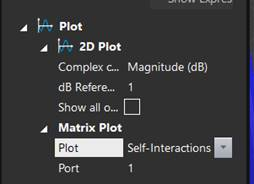
說明:
目前 Sim4Life 的 Python API 沒有設定 Matrix plot 選項的功能,程式碼只能生成預設的 Self-Interactions 圖形
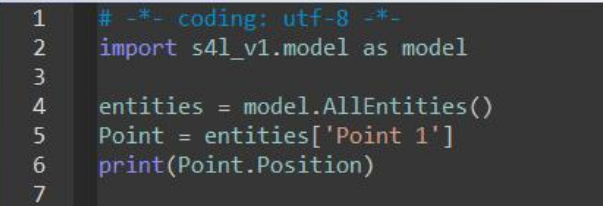
【Python API】如何透過 Python 腳本獲取一個空間點的座標位置?
請參考下圖程式碼範例:
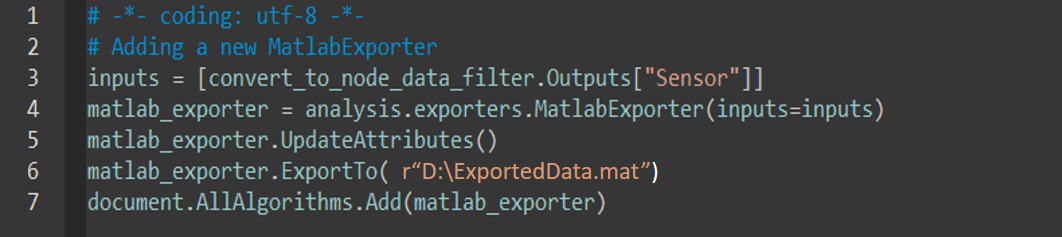
【Python API】在如何在 python 腳本上使用 MatlabExporter 後處理工具,將模擬數據導出到 MATLAB?
請參考下圖程式碼範例:
【Python API】如何從 python 腳本中生成 bounding box 物件?
Sim4Life Python API 中的 CreateWireBlock() 函式可以建立 bounding/wire box 物件。此外,使用 parametrized 參數可以更改 bounding/wire box 模型生成後的尺寸
範例:

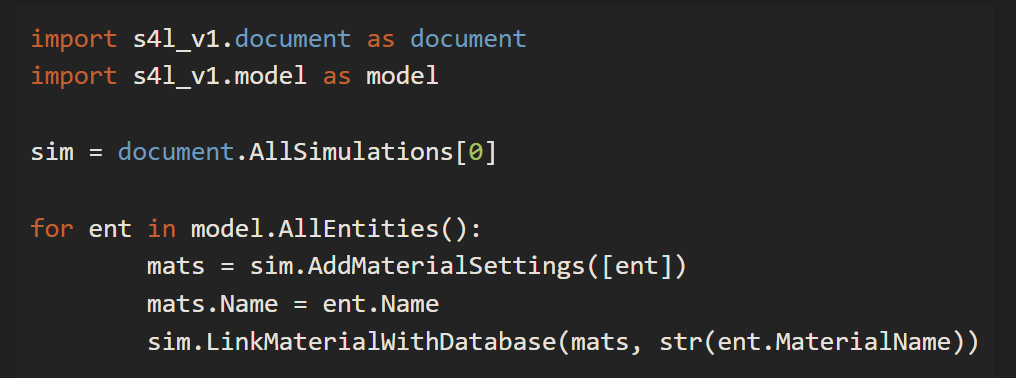
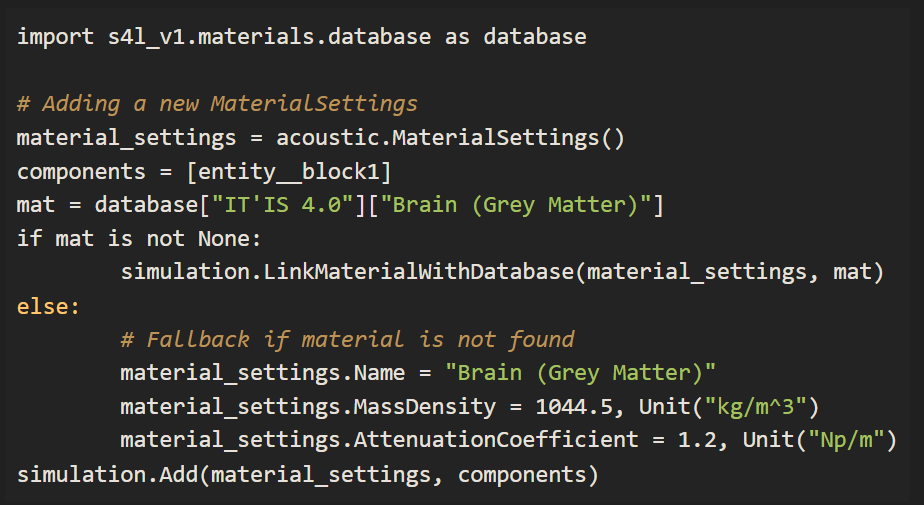
【Python API】如何將模擬設定中自動連結數據庫材料參數的功能寫進 python 腳本中?
可以使用 li
範例 1: 將數據庫參數加入材料設定中
範例 2: 更新現有的材料參數設定

範例 3: 將 ViP 模型的材料參數加入到材料設定中
【Python API】如何在 Sim4Life 環境中安裝其他 Python 套件?
1. 在開始功能表輸入 cmd,開啟 Windows 命令列提示字元視窗
2. 輸入指令進行該套件的安裝: "Sim4Life python.exe 路徑" -m pip install 套件名稱
例如: "C:\Program Files\Sim4Life_9.0.0.18809\Python\python.exe" -m pip install pandas
依據歐盟施行的個人資料保護法,我們致力於保護您的個人資料並提供您對個人資料的掌握。
按一下「全部接受」,代表您允許我們置放 Cookie 來提升您在本網站上的使用體驗、協助我們分析網站效能和使用狀況,以及讓我們投放相關聯的行銷內容。您可以在下方管理 Cookie 設定。 按一下「同意」即代表您同意採用目前的設定,更多資訊請瀏覽 隱私權聲明。